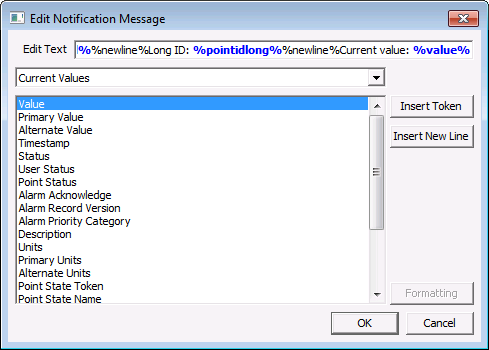
The WatchList notification message is configured in the OCX properties dialog box. The Edit Notification Message dialog box allows tokens to be used to display message information about the items being displayed in the WatchList object. You can select multiple tokens, enter text if desired to assist with the displaying of data.
To Configure a WatchList Notification Message
Note: The text in the notification message can be dynamic, static, or a combination. Dynamic text is built using tokens, which can represent point configuration, facility, and CVS point record properties. Data formatting can be specified. See Using Text Tokens for more information about building dynamic text using tokens.
|
|
|

